 Spine Nudge
Your AirPods just learned posture.
Spine Nudge reads your head angle from your AirPods and nudges you upright the moment a slouch sets in. No camera, all on your Mac.
Join the waitlistWorks best with AirPods Pro 2 or AirPods 4.
Three steps to sitting tall.
01
Wear your AirPods
Spine Nudge reads your head angle from the motion sensors in your AirPods. No camera, no desk sensor, no extra hardware.
02
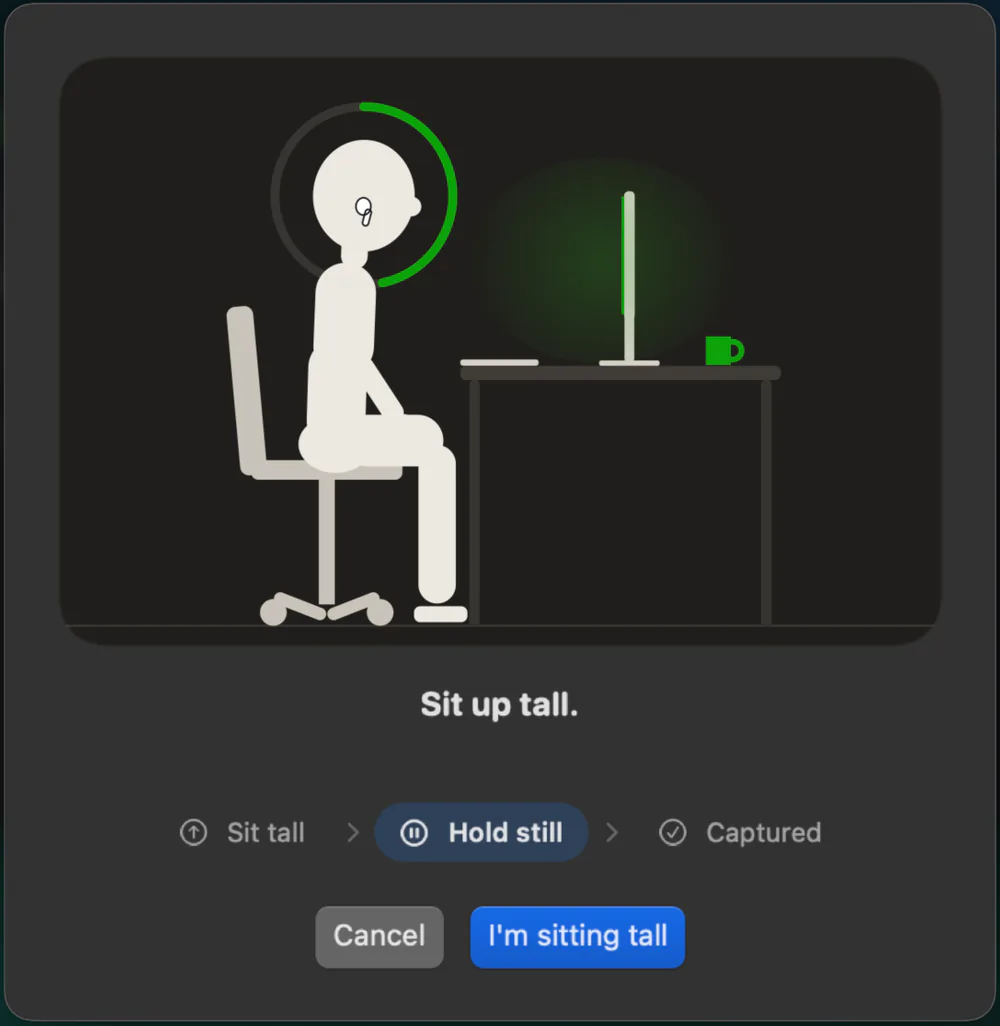
Sit tall once
Sit up, hold still for a moment, and Spine Nudge learns your upright posture as the baseline.
03
Forget about it
Work as usual. The Vitality meter drains as you slouch and refills as you sit tall, and when a slouch sticks, a gentle nudge sets you straight.
See it in action.
Watch Spine Nudge catch a slouch, nudge it away, and keep score, all in under thirty seconds.
Sound on: you will hear the chime and the spoken cue.
Built to make sitting well stick.
Nudges
A gentle nudge sets you straight.
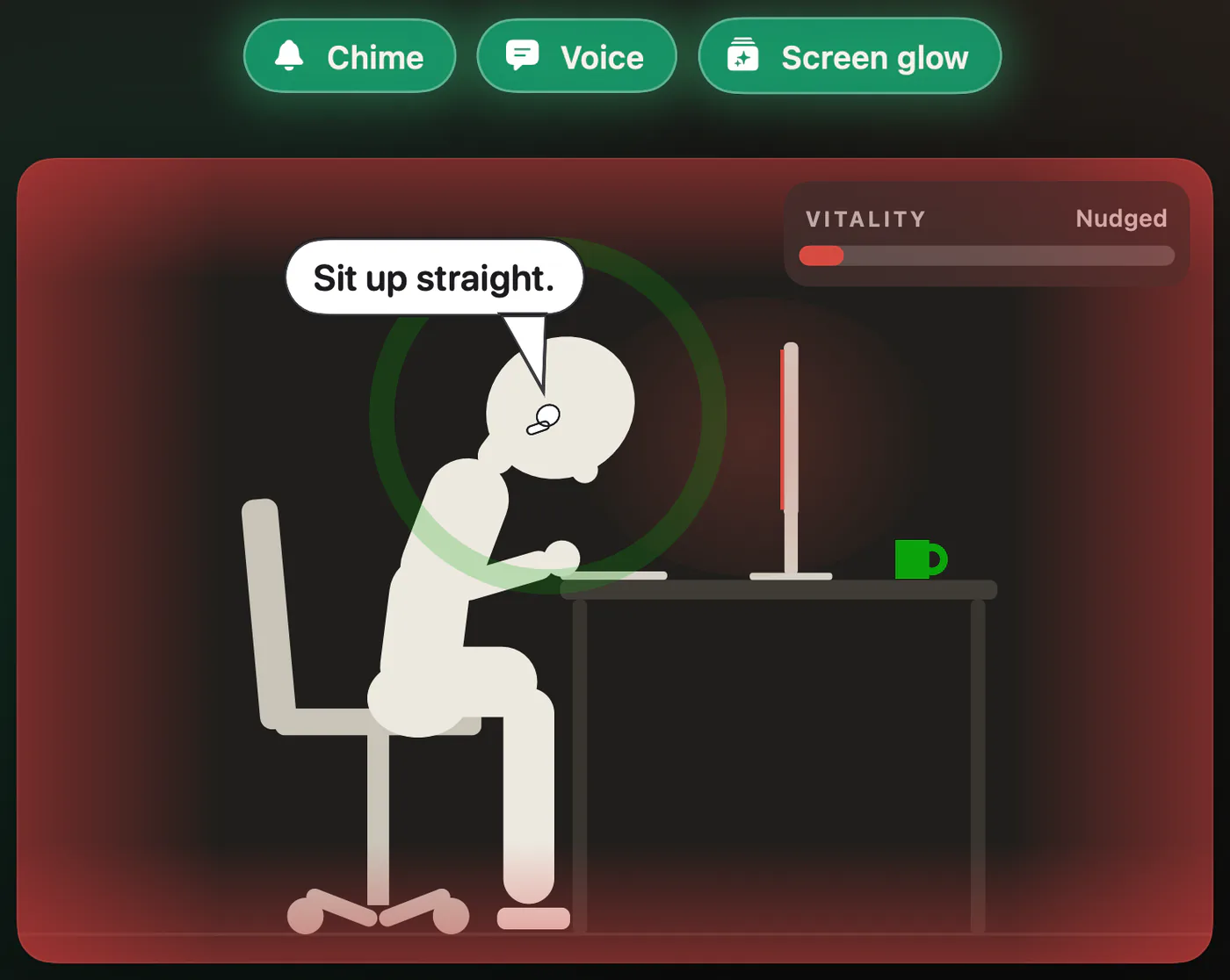
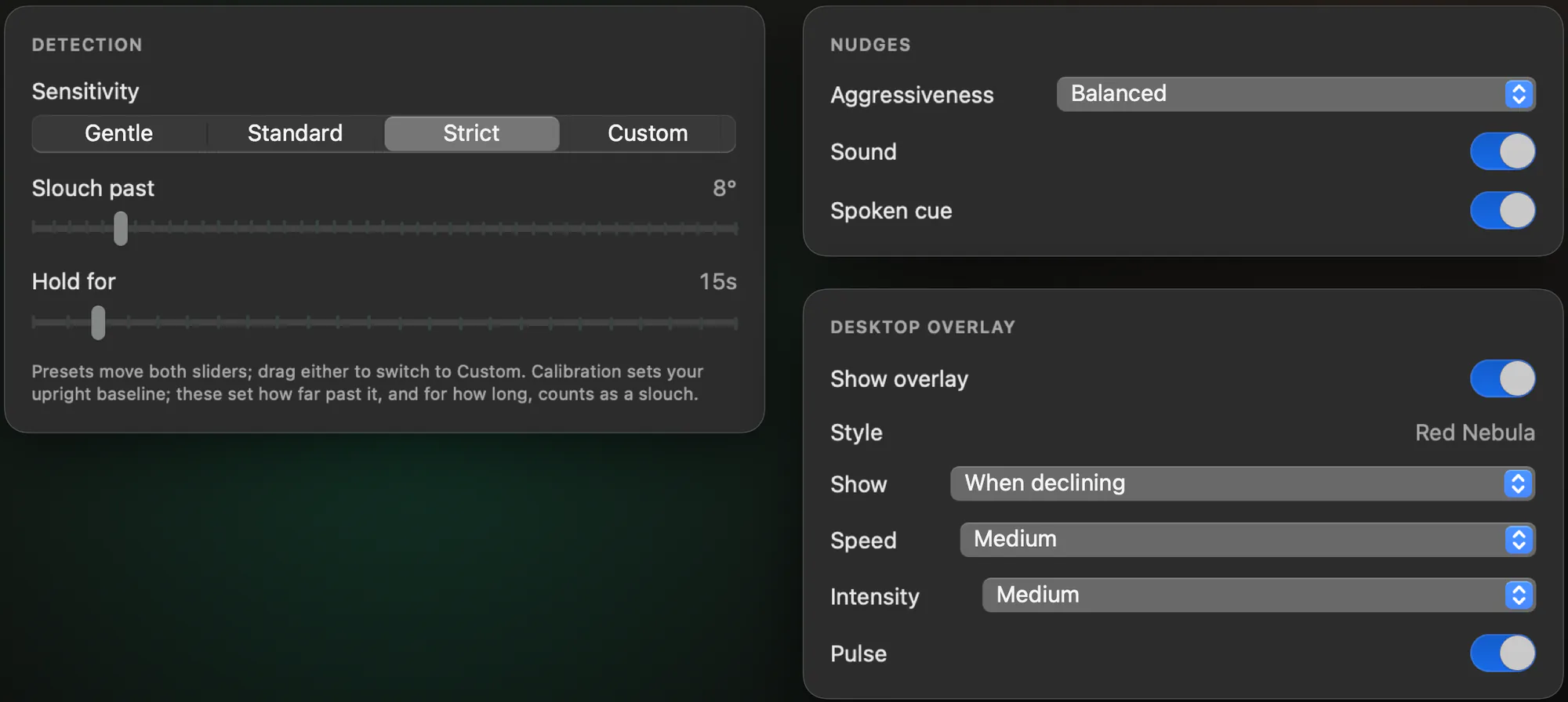
When a slouch sticks, Spine Nudge plays a soft chime, says “Sit up straight.”, or both. Choose how quickly nudges escalate (Gentle, Balanced, or Assertive), and snooze them whenever you need a quiet stretch.
Screen glow
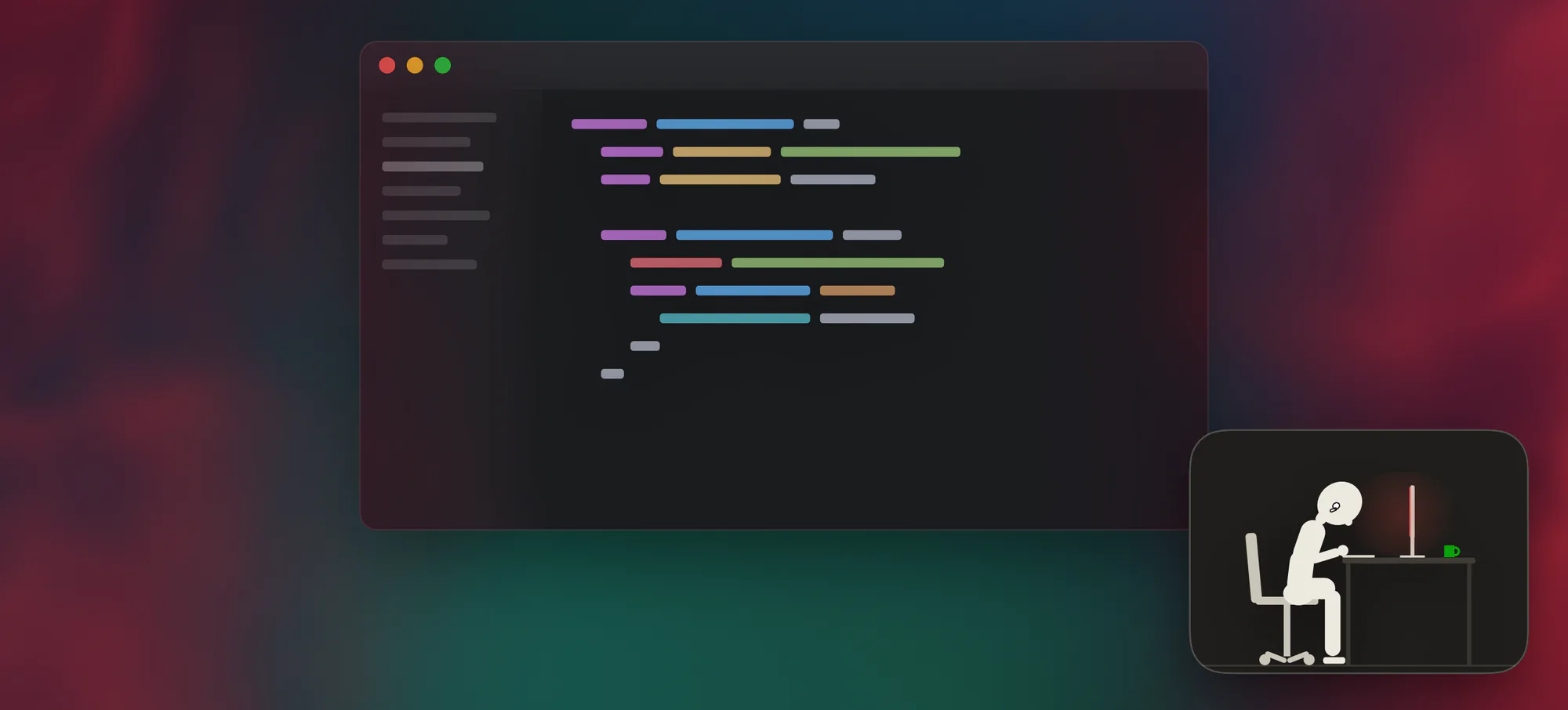
Keep slouching, and your screen glows red.
Turn on the screen effect and Red Nebula glows in from the edges of your screen while you slouch, then fades the moment you sit tall. Pick when it shows, how fast it builds, and how strong it gets. It is a click-through layer that never reads or captures what is on your screen.
Widget
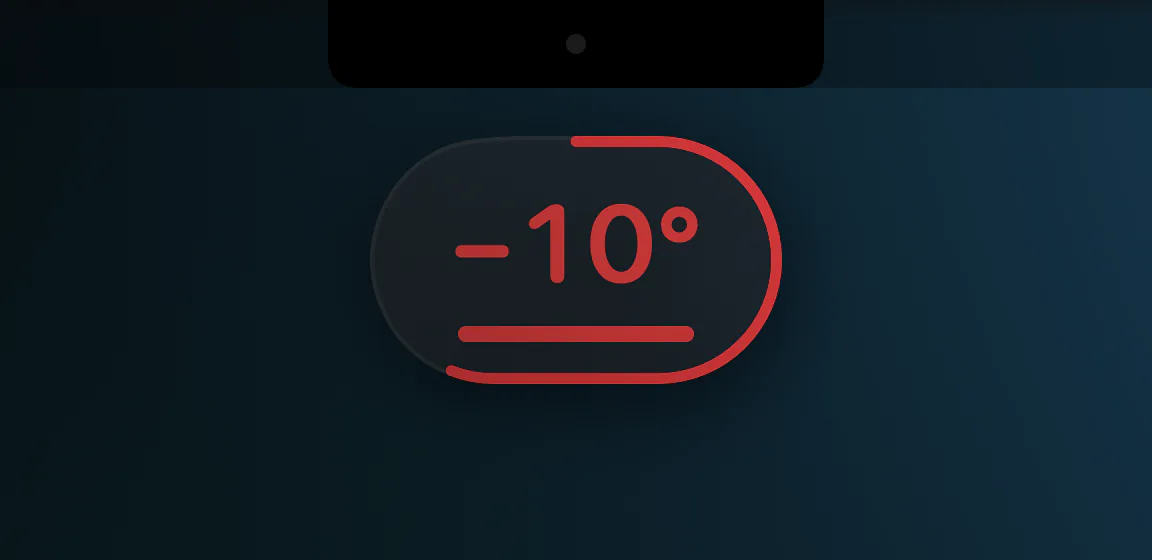
Know where you stand.
A tiny widget shows how many degrees you are from your calibrated posture. Park it under your camera, so glancing at it lifts your head instead of dropping it. Past your slouch line, its outline fills like a timer until the nudge, so you can sit up first.
- Show it all the time, or only when you start to drift.
- Keep it above every window.
- Lock it in place so clicks pass through. Locked, it fades while your pointer is over it.
Menu bar
Always on, right in your menu bar.
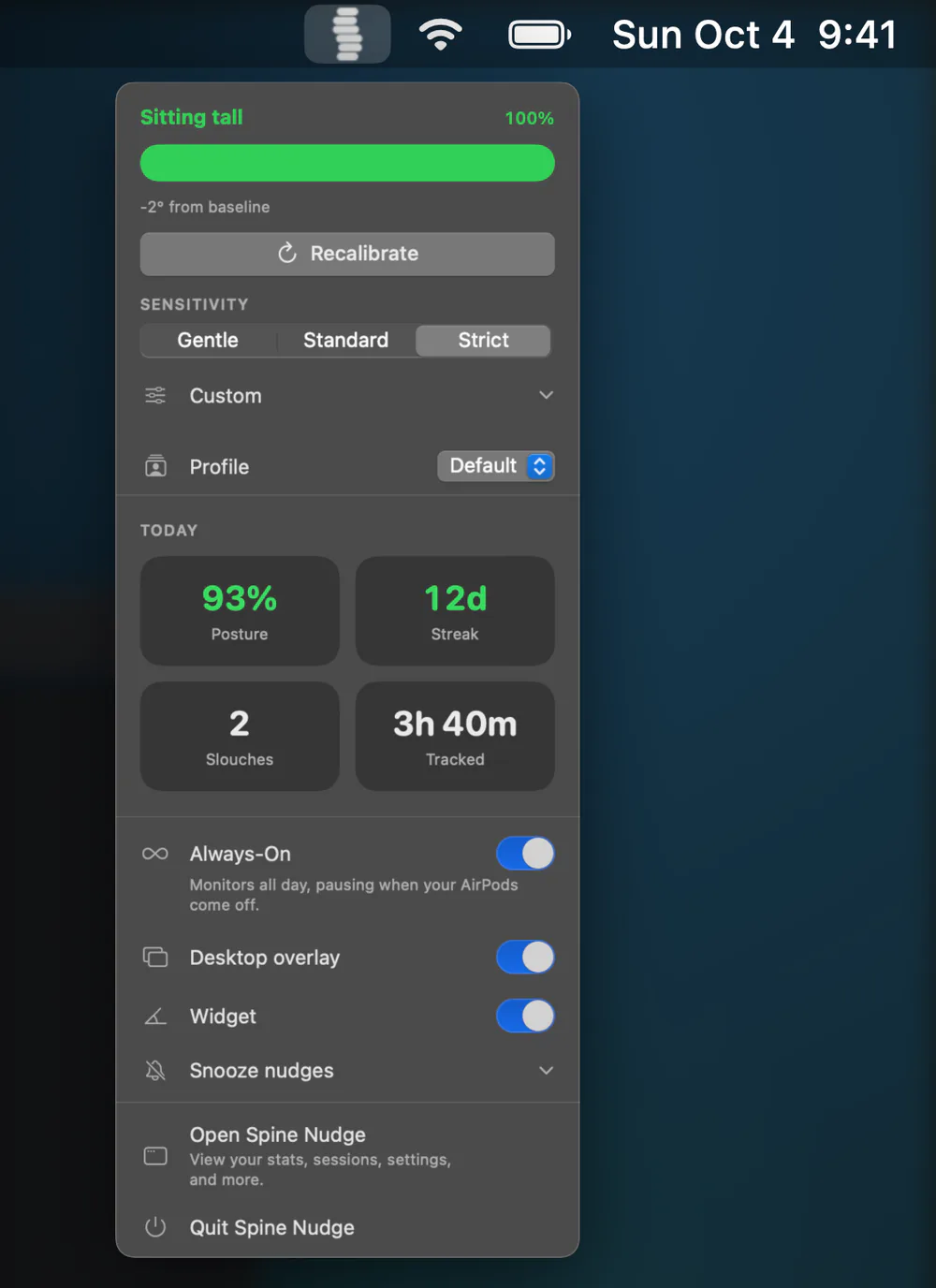
The spine icon in your menu bar fills and empties with your posture. One click shows your live posture, today’s stats, and your streak, with quick switches for sensitivity, the widget, and the screen effect.
- Monitors all day and pauses on its own when your AirPods come off.
- Prefer timed sessions? Switch to session mode.
- Opens at login if you want it to, and can hide its Dock icon.
Progress
Watch your posture improve.
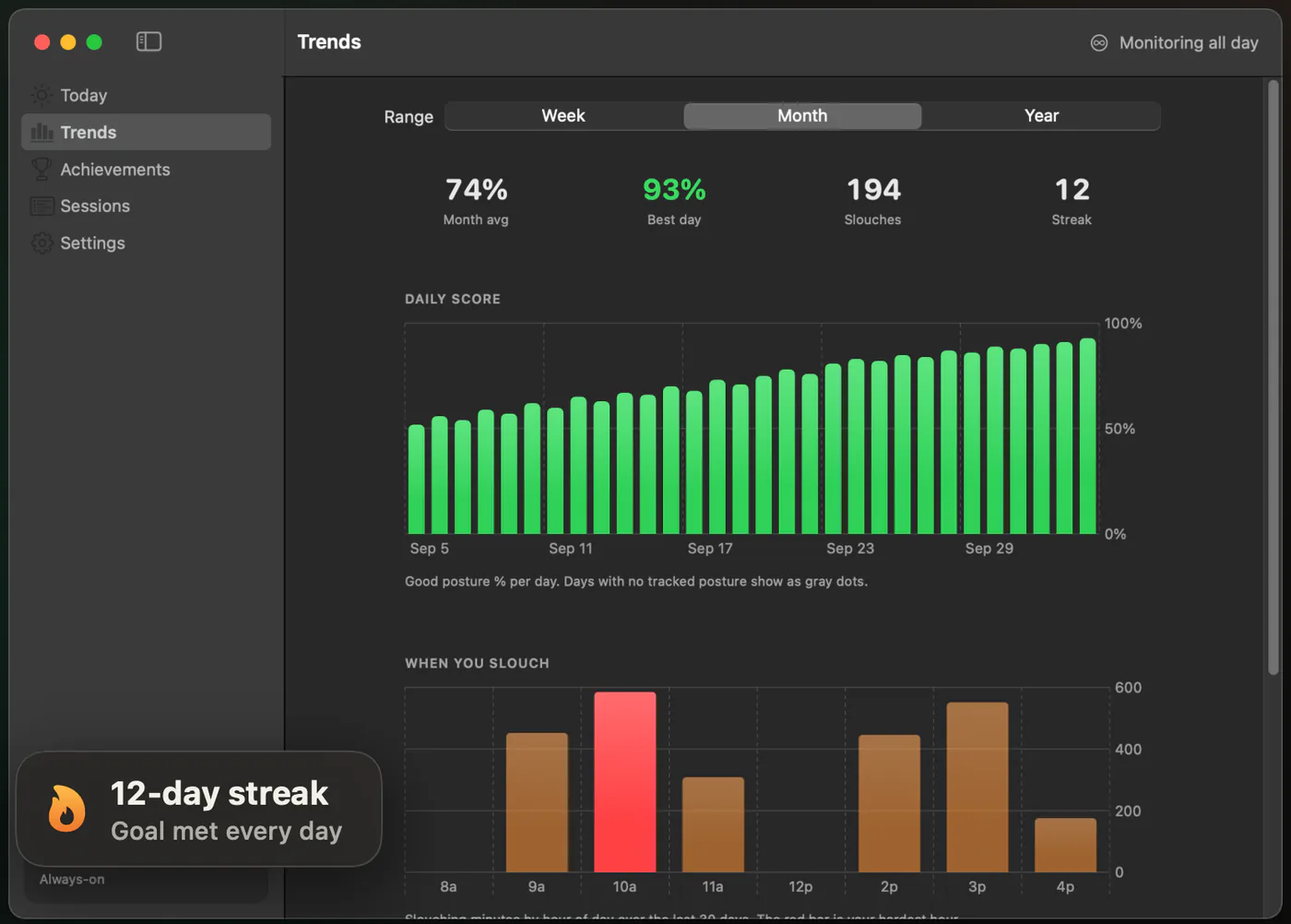
Today shows your score, your share of good posture, your slouches, and a timeline of your day. Trends adds week, month, and year views, the hours you slouch most, and your hardest weekday.
- A daily goal, streaks, and badges to keep you going.
- A record of every session.
Settings
Tune it to you.
Pick how strict detection is: Gentle, Standard, Strict, or your own angle and hold time. Choose how you are nudged and what your screen does. Keep a separate profile, with its own calibration, sensitivity, and nudges, for each place you sit, and switch between them in a click.
The little things, handled.
Honest scoring
Time Spine Nudge cannot see you, like AirPods out of your ears, is never counted against you.
Re-centers as you move
Small shifts are re-centered automatically, so you do not need to recalibrate every time you adjust your AirPods.
Badges worth earning
Milestones unlock badges, and a notification lets you know the moment you earn one.
Synced, privately
Your daily totals, goal, streak, and badges sync through your own iCloud. The app works fully without it.
Try it without AirPods
A built-in demo runs the real detection on simulated head motion, so you can see a nudge before your AirPods are in.
No account
Nothing to sign up for. Install it, calibrate, and get back to work.
Your posture is nobody's business.
Spine Nudge never uses your camera. Head motion is processed entirely on your Mac and is never sent to us. Only your daily totals, goal, streak, and badges sync, through your own private iCloud, which we cannot read. No account, no analytics, no ads.
Join the waitlist.
Spine Nudge is almost ready. Leave your email and be first in when it ships.
- Mac
- macOS 14 Sonoma or later.
- AirPods
- Any model with head tracking: AirPods Pro, AirPods (3rd generation or later), or AirPods Max. Works best with AirPods Pro 2 or AirPods 4.
Spine Nudge is a wellness tool, not a medical device.